

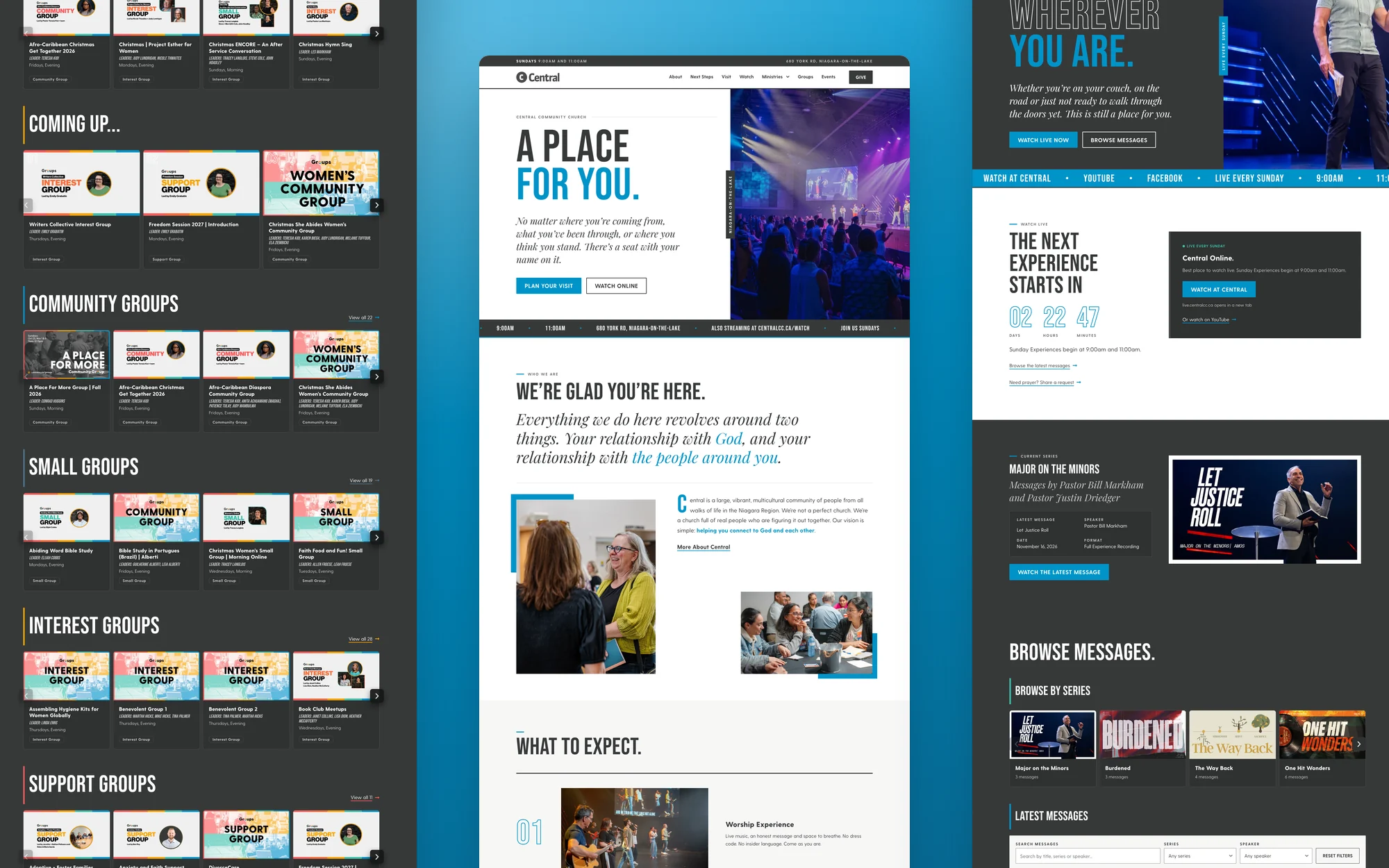
Central came to us with an idea I loved: make browsing church groups feel as familiar as browsing Netflix.
You can probably picture it already. Scroll through the options, see something that catches your attention, and open it to learn more. It’s a familiar experience, and Central saw an opportunity to bring that same approach to helping people find a place to belong.
That became one of the main features of a complete website redevelopment. Behind it, groups and events update automatically from Central’s church-management system, and messages from YouTube find their way into an organized Watch library automatically too.
There’s a lot happening here to make life easier for both visitors and staff. And honestly, we’re really proud of how this one came together.
A new chapter with a familiar team.
We’ve worked with Central Community Church for years. We built an earlier website around their move from central St. Catharines, so we already knew the people, the heart behind the church, and how much thought they put into welcoming others.
Central is a vibrant, multicultural church serving the Niagara region. Their vision is to help people connect to God and each other. That includes people arriving with questions, doubts, or the feeling that they might not quite fit in.
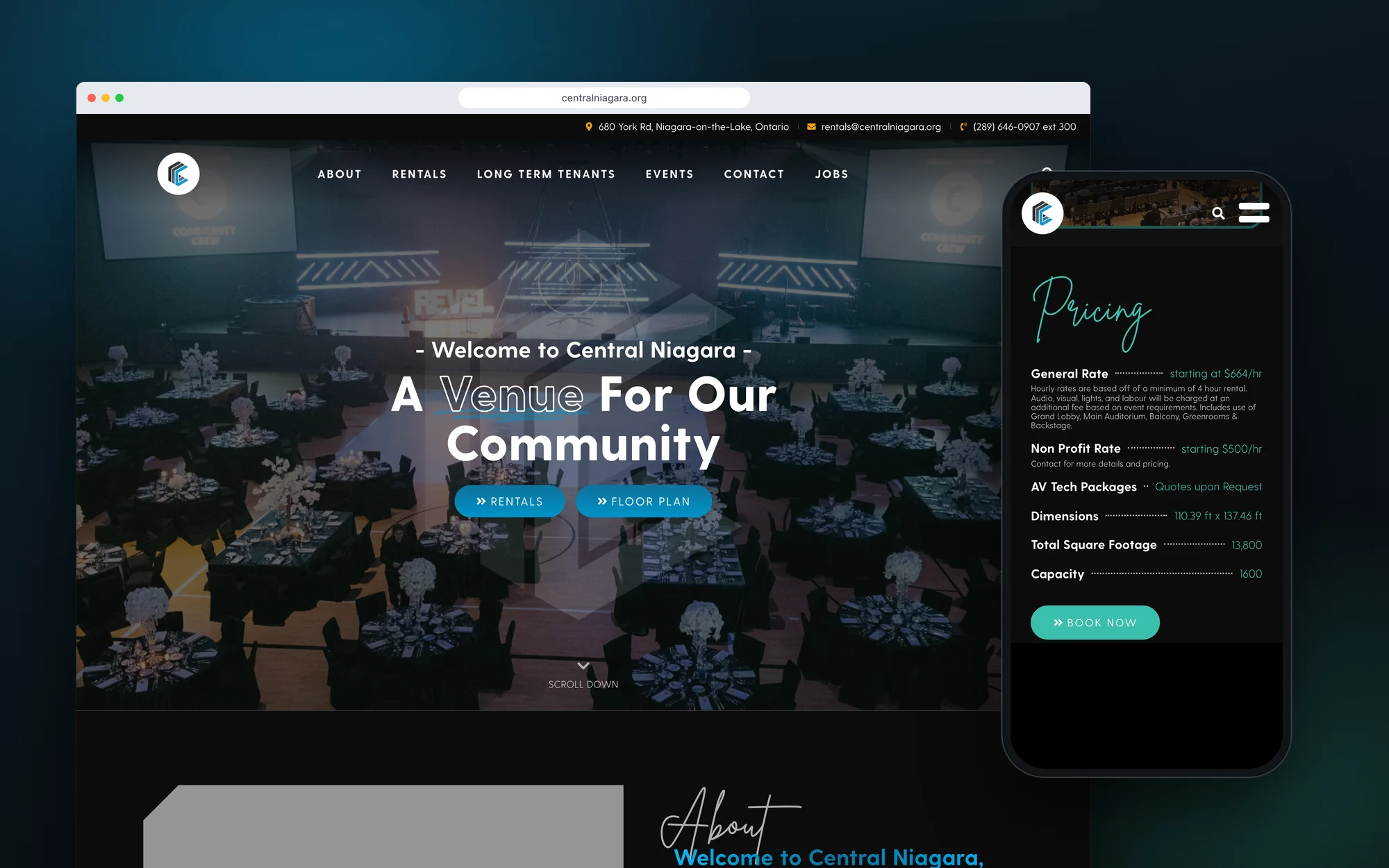
The new website needed to carry that welcome through the whole experience. It also needed to reflect Central’s creativity and work well with the systems their team already uses.
They had a clear vision for where they wanted to go, and we were excited to help build it.
Making the group browser feel like Central.
If you’ve worked with church-management software, you’ll know how useful it can be for keeping people, groups, and information organized. The next challenge is presenting that information in a way that makes people want to explore.
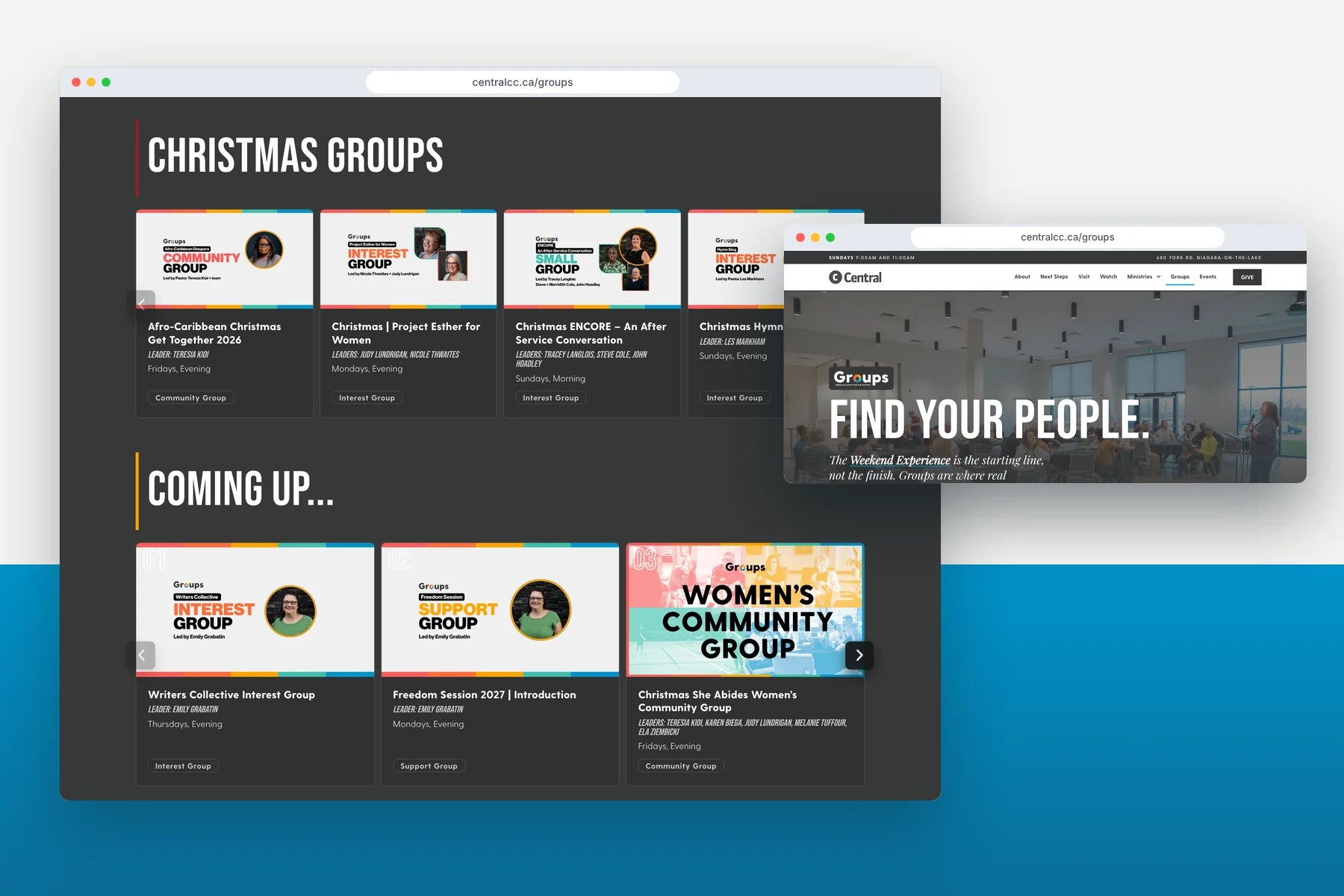
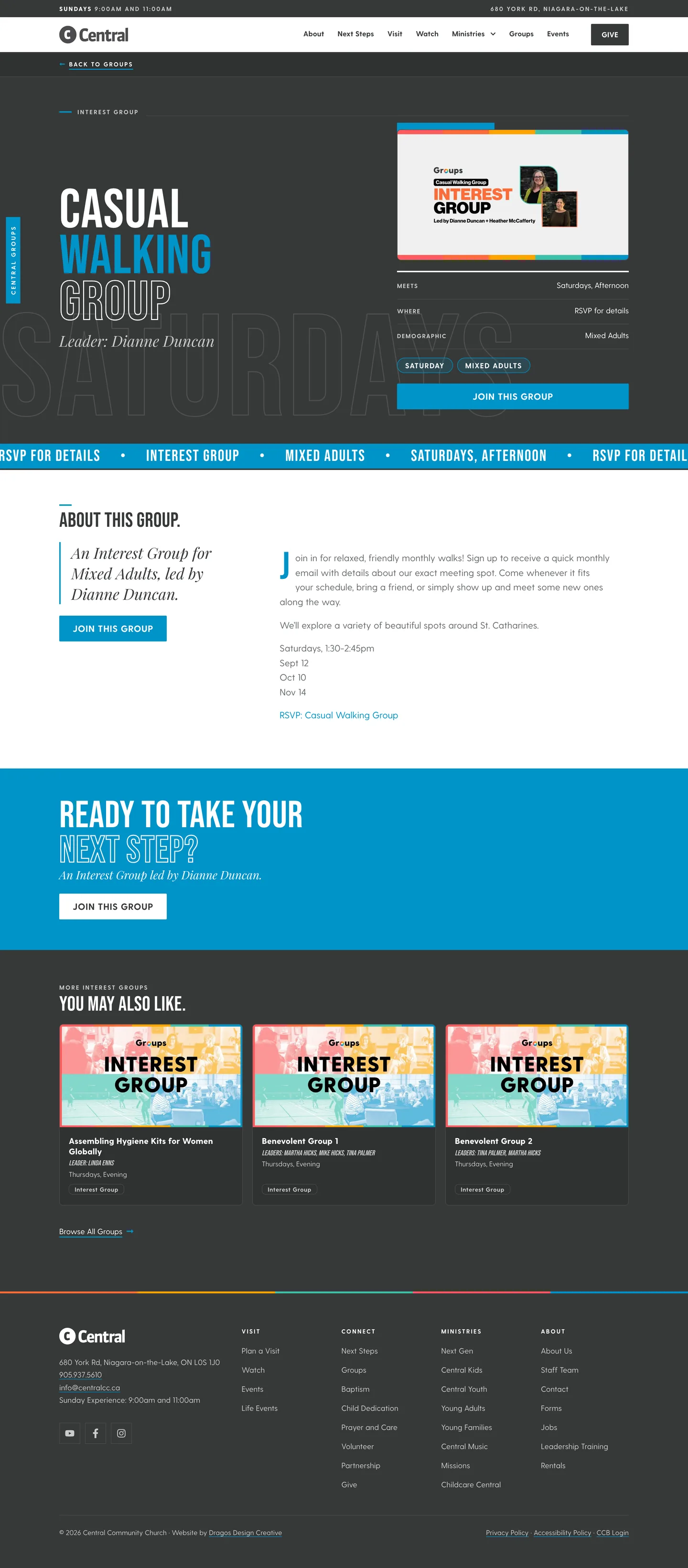
We built a custom group browser powered by Central’s Church Community Builder data, giving the public-facing experience its own design and personality.
Visual cards make it easy to browse, open a group, review meeting information, and follow the next step towards signing up. The Netflix inspiration gave us a useful starting point: familiar browsing patterns that help people discover something they might be interested in.
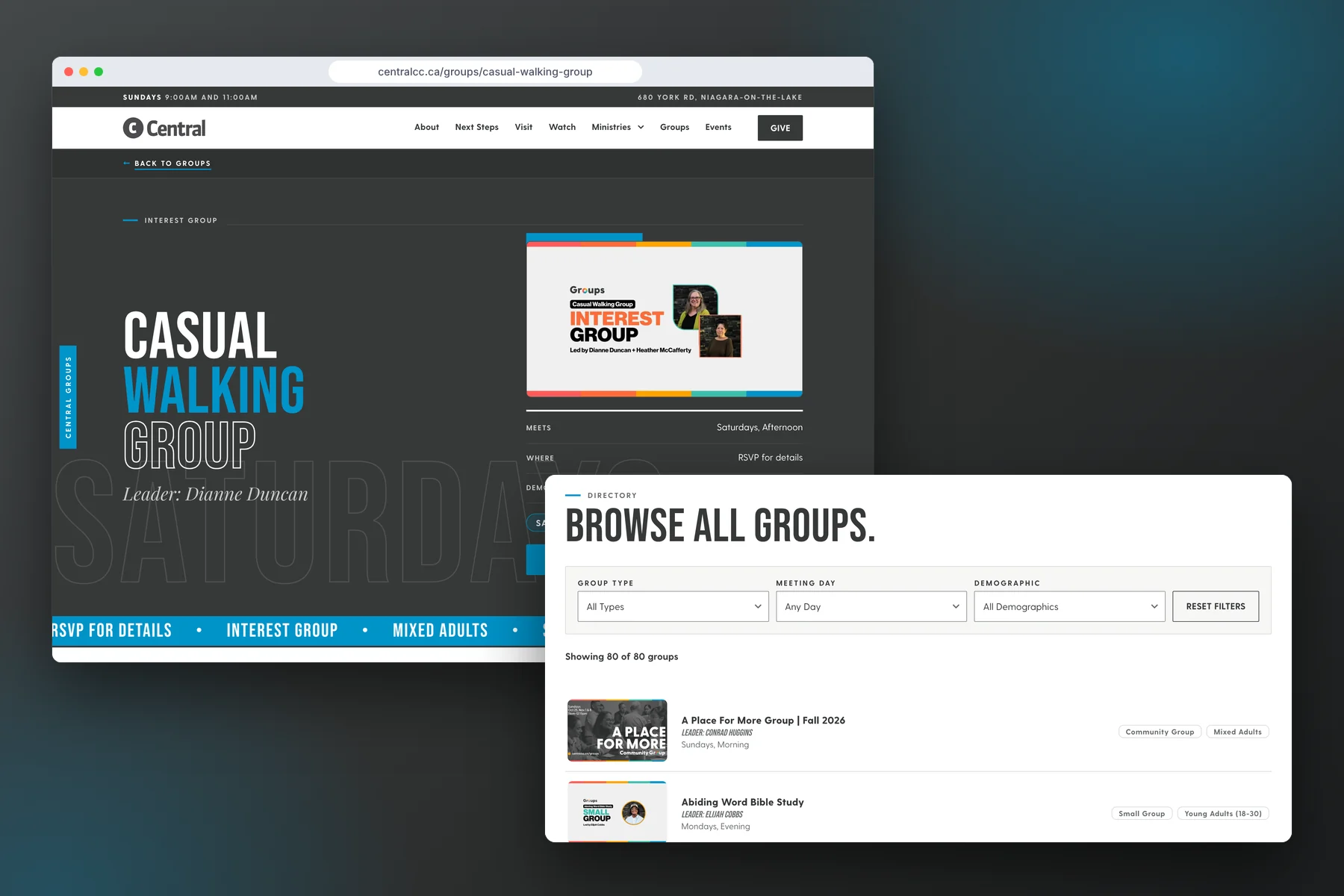
For someone looking to get connected, those details matter. They can spend time exploring what’s available and finding a group that feels like a good fit.
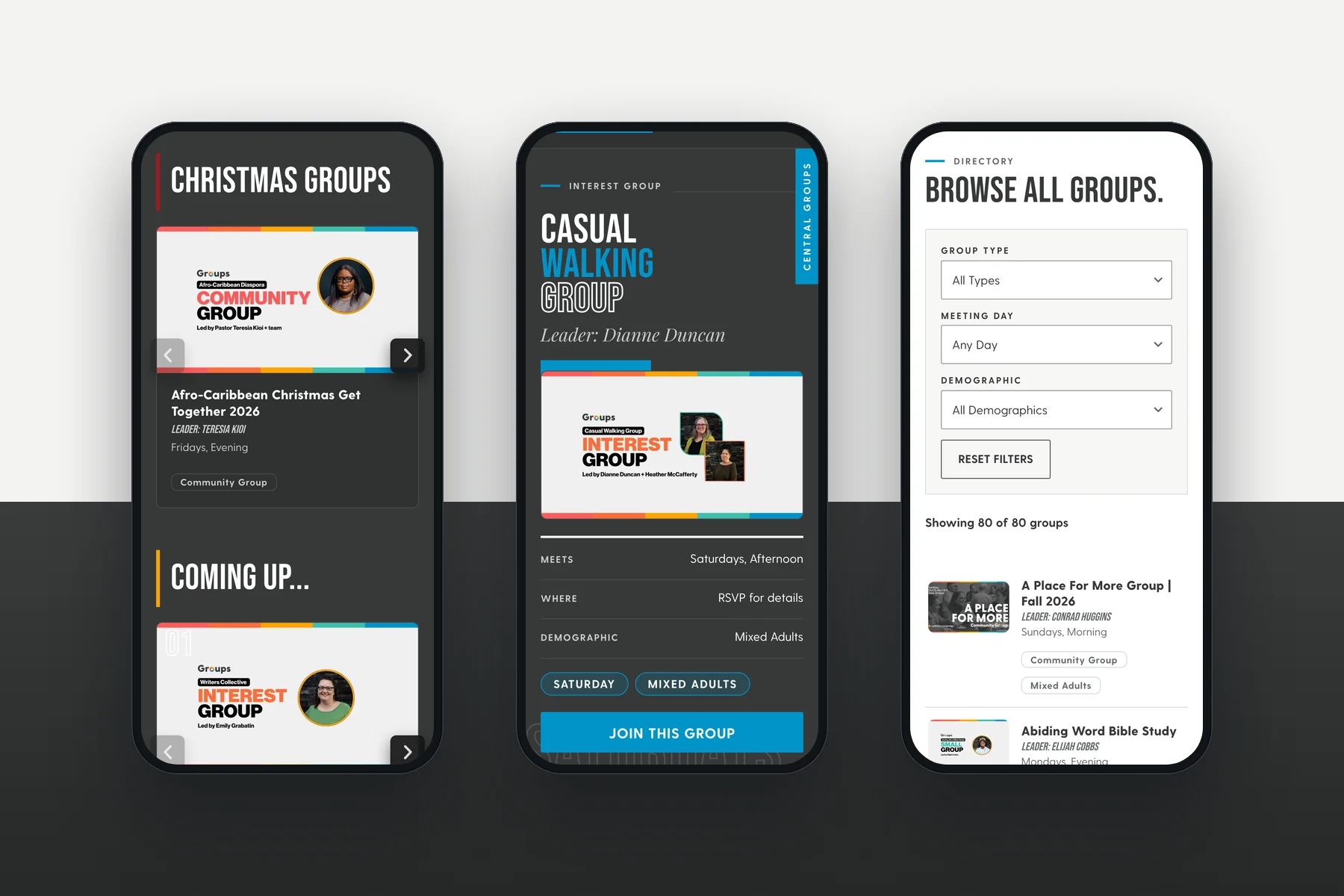
That was the part I particularly enjoyed: taking an idea the team was excited about and working through the design and development to make it useful in everyday church life.
Explore Central’s group browser
Update it in CCB. It updates on the website.
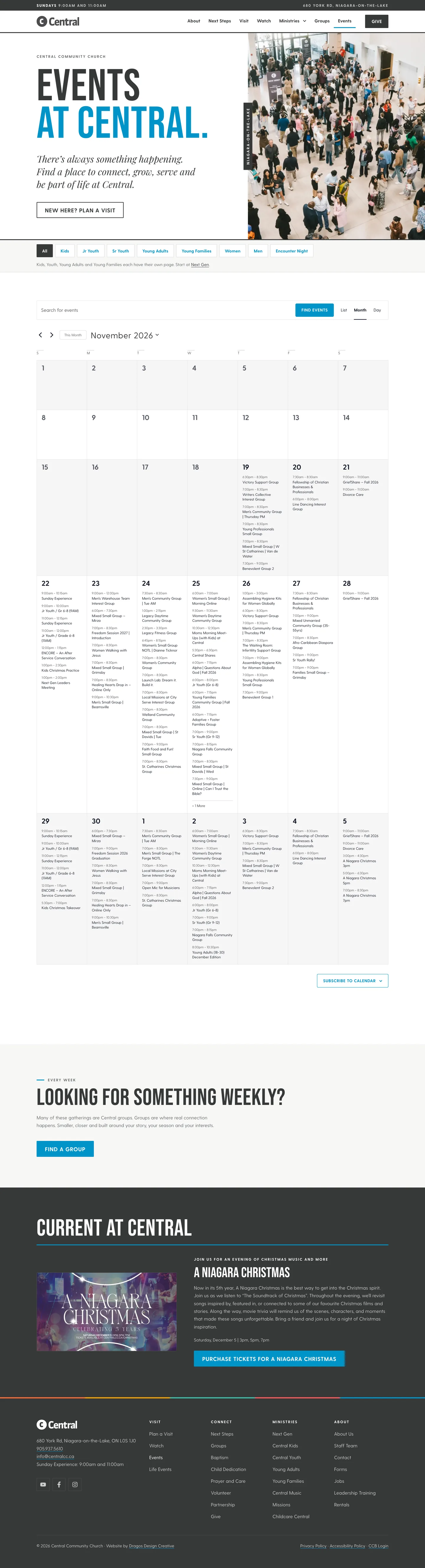
Central uses Church Community Builder, or CCB, as its church CMS. We built the website to integrate fully with it, pulling groups and events directly from the information their team already maintains there.
When staff change a group’s meeting details or update an event in CCB, the website updates automatically. They manage that information in one place, without having to open the website and make the same changes again.

If you’ve ever had to keep the same information current in two different systems, you’ll understand why that matters. It removes the duplicate work and helps keep what people see on the website aligned with what the church is actually organizing.
It also means Central can have a custom browsing experience while continuing to work in the system their team knows.
A message library that organizes itself.
We brought that same thinking to the Watch area.
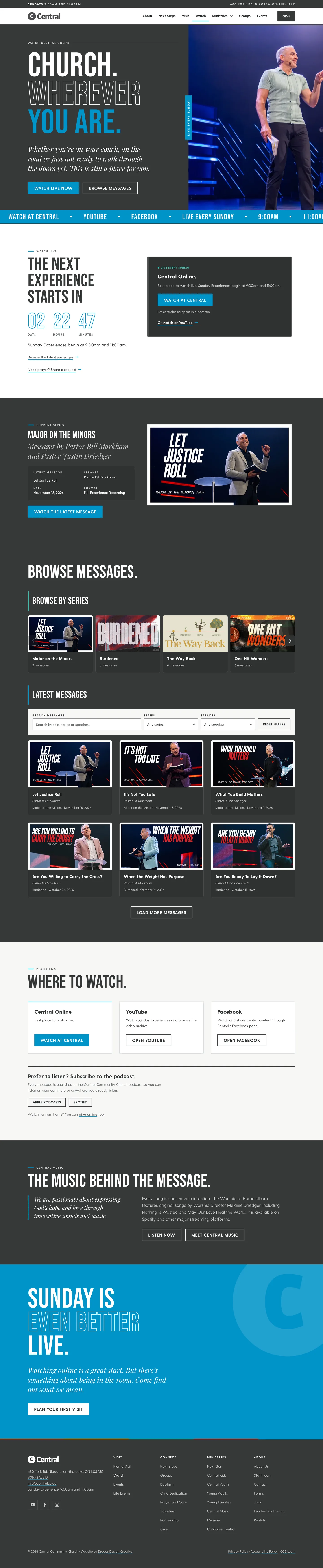
Messages and services are pulled automatically from Central’s YouTube channel and added to the appropriate series on the website. If a series doesn’t exist yet, the website creates it automatically and puts the message where it belongs.

That keeps the Watch page and message library organized as new content comes in. Central’s team can continue publishing to YouTube, while the website handles bringing those messages into the library and arranging them into series.
I love this kind of development. There’s a useful experience for the person browsing, and less ongoing work for the team keeping everything current. For a church sharing messages week after week, that’s a meaningful part of what the website does.
Thinking through the rest of the visit.
The group browser is a favourite feature, but the same care went into the rest of the website.
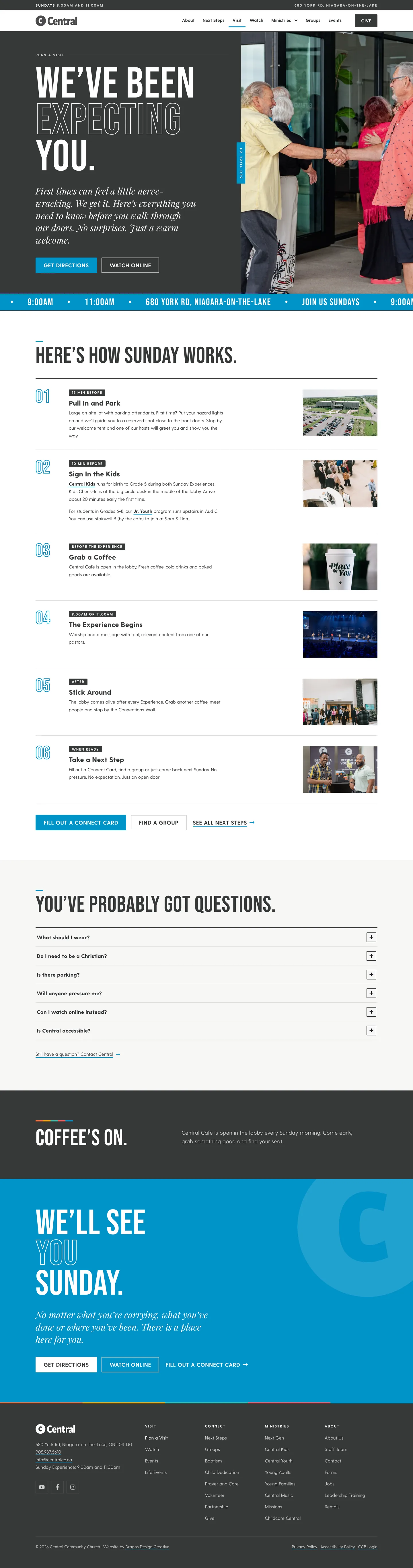
We redesigned the site around Central’s existing visual identity and the things people actually come looking for. Someone considering their first Sunday can find visitor FAQs, parking information, and details about children’s programming. Someone already part of Central can access giving, ministry forms, registration pathways, and upcoming events.
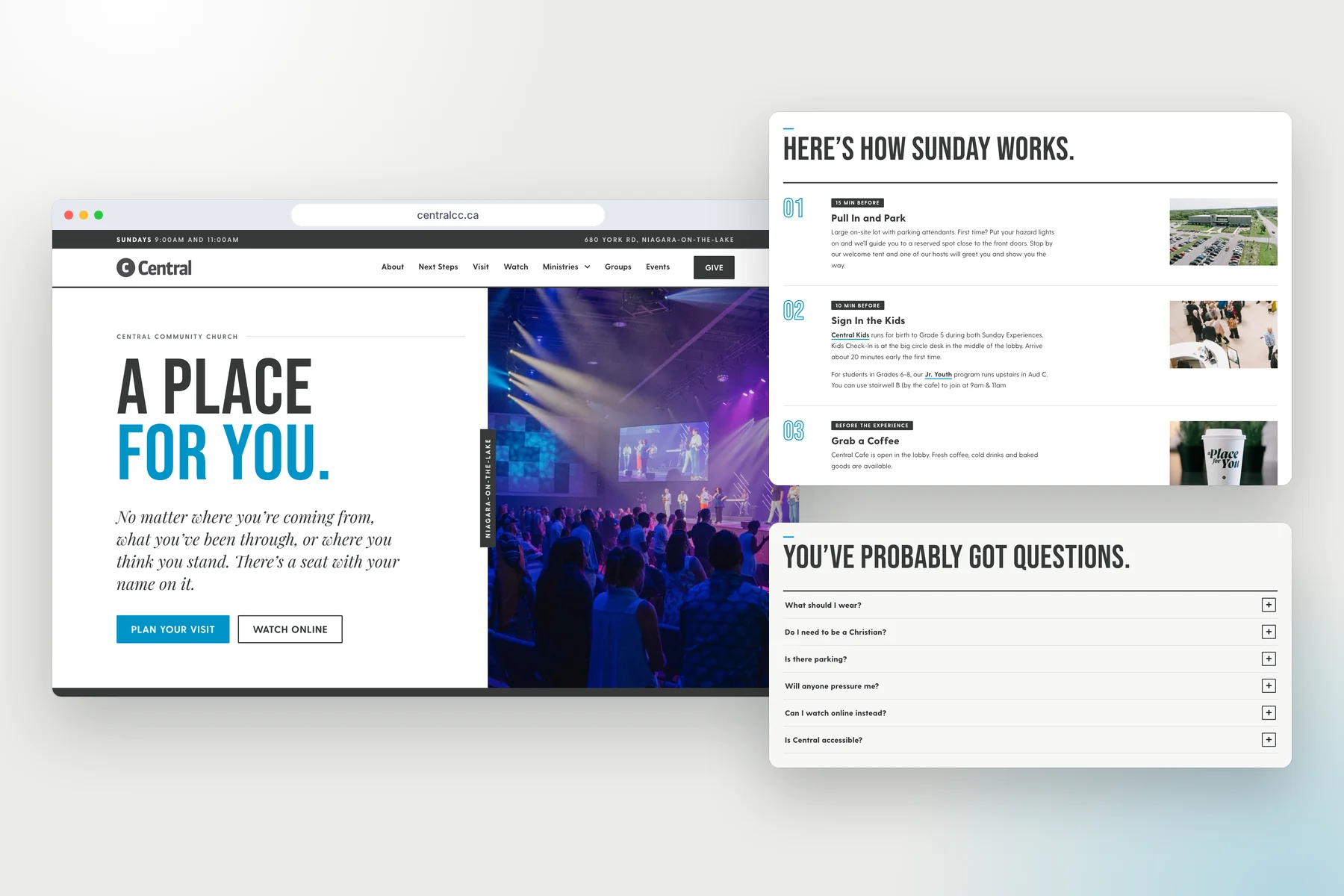
Alongside the automatically organized message library, the Watch area provides access to livestreams, helping people connect online as well.
Each of those pieces has a practical purpose. Together, they give Central a website that supports newcomers, the congregation, and the team working behind the scenes.
Good collaboration makes a difference.
Central is a great team to work with. They’re organized, engaged, and clear about what matters to them. They also bring ideas that give us room to get creative.
Throughout the project, we worked through feedback from different leaders and refined the details together. It was rewarding to see how pleased the team was with the finished site, particularly the combination of its design, functionality, and clean experience.
The redevelopment launched in September 2026, with a smooth transition and hosting provided by DDC.
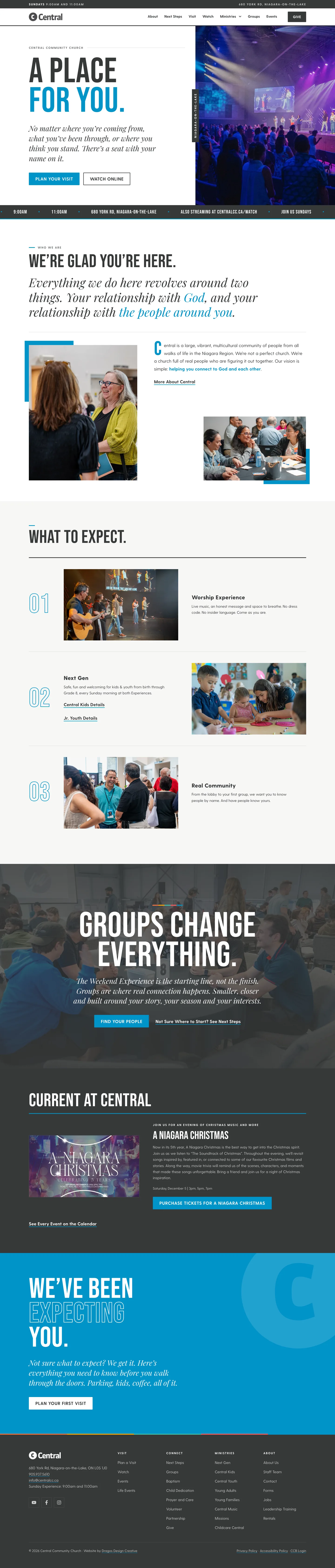

For me, this project is a good example of what can happen when a client brings a clear vision and gives us the opportunity to build around it. Central wanted a more inviting way for people to discover community. We got to help make that happen, with a custom experience for visitors and integrations that take care of recurring work for their team.
Have an idea for your church website?
Whether your team uses CCB, Planning Center, or another church-management system, we’d love to hear what you’re hoping to do. We can look at the tools you already have and explore what’s possible.
 Chantel Orr